Internet Setup for Content Creators and YouTubers in Punjab
The best internet for content creators is a fiber connection with strong upload speed, a wired link to your main computer, and a backup plan for power cuts and outages. Download speed gets the attention, but creators live and die by upload speed, stability and low delay. Uploading raw footage, going live and joining collaboration calls all send data out, and a weak upload turns a simple task into hours of waiting.
This guide explains what creators in Punjab actually need, how much speed to aim for, and how to set up your home or studio so uploads finish and live streams stay smooth.
Quick Answer: What Creators Need
- Strong upload speed, not only a high download number
- Fiber broadband for steady, low-delay connections
- A wired (Ethernet) connection for your editing PC and streaming setup
- Unlimited or generous data, since video files are large
- Power backup for your router and fiber equipment
- A backup internet option for important live sessions and deadlines
Why Creators Need More Than a Standard Home Plan
A regular household uses the internet mostly to download: videos, pages and apps. A creator does the opposite as well. You upload long videos, send big files to editors and clients, back up footage, stream live and take calls. If your upload is slow, a 20-minute video can occupy your connection for a long time, and live streams can buffer or drop.
How Much Upload Speed Do You Need?
For live streaming
Rule of thumb: keep your available upload at least twice your streaming bitrate, so brief dips do not cause drops. Other devices on your network add to the load.
For uploading videos
| File size | At 20 Mbps upload | At 100 Mbps upload |
| 1 GB | About 7 minutes | About 1.5 minutes |
| 10 GB | About 70 minutes | About 14 minutes |
| 50 GB | About 6 hours | About 1 hour 10 minutes |
Real-world times are a little longer. The point is clear: a faster upload gives you hours back every week.
Plan size guide for creators
| Type of creator | Starting point | Notes |
| Short videos and reels, light editing | 100 Mbps | Good for uploads and the odd stream |
| Regular YouTuber, 1080p uploads, calls | 200 to 300 Mbps | Comfortable for daily work |
| Live streamer or 4K uploader | 300 to 500 Mbps | Room for streaming plus other users |
| Studio, small team or heavy cloud work | 500 Mbps to 1 Gbps or a dedicated line | Several people uploading at once |
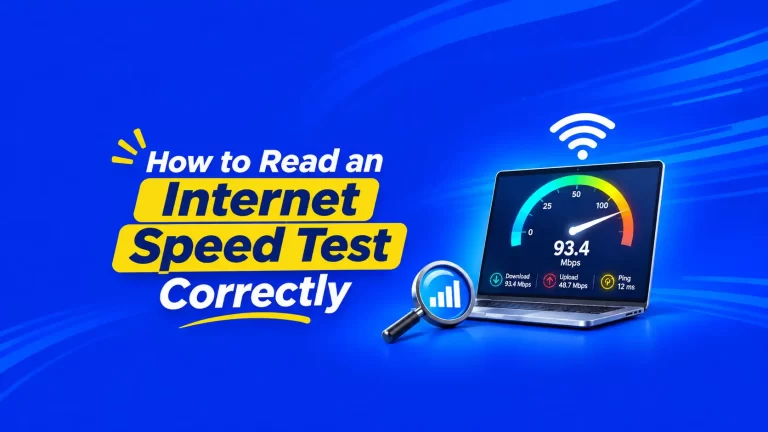
These are starting points. Ask what upload speed your specific plan delivers, since it is not always the same as download. To understand the numbers, read our guide on how to read an internet speed test.
Step-by-Step: Set Up Your Internet for Creating
1. Wire your main computer
2. Position the router sensibly
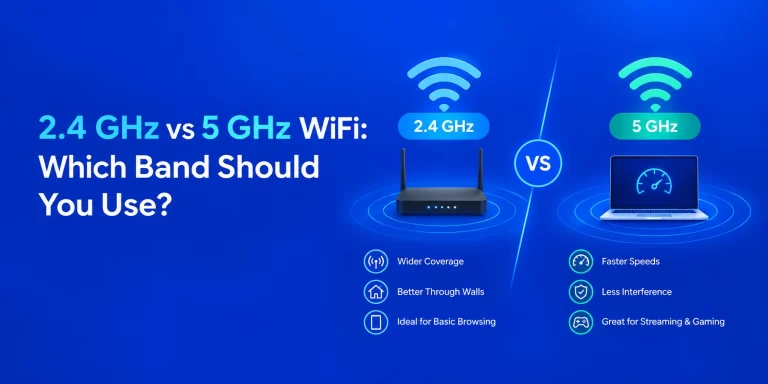
3. Use the right WiFi band
4. Protect against power cuts
5. Separate your work from the rest of the house
6. Keep your router up to date
7. Plan a backup internet connection
Before a big launch, live event or paid collaboration, make sure you have a plan B. This can be a second connection, or a mobile hotspot for emergencies. Even a simple backup can save a deadline.
Check Your Data Limits
Video files are large, and a few hours of footage can be tens of gigabytes. Heavy uploads, cloud backups and large downloads of stock footage add up quickly. Check whether your plan has a data limit or a fair usage policy that reduces speed after a threshold. Creators usually do best with unlimited or very high data.
Latency and Stability Matter for Live Content
Live streaming, voice chats and remote guest interviews depend on low, steady delay. If your video freezes or your guest’s audio breaks up, the problem may be jitter or packet loss, not low speed. Our guide to internet jitter explains the causes and fixes. Gaming streamers should also read our guide to the best broadband for online gaming in Punjab.
Set Up by Type of Creator
Vlogger or short-video creator. Prioritise upload speed and unlimited data. A wired connection for your editing machine and a UPS for your router are the best upgrades.
Live streamer or gamer. Prioritise stability and low delay. Use a cable, keep your upload at least twice your stream bitrate, and have a backup connection.
Podcaster or interviewer. Audio uses little bandwidth but is very sensitive to jitter and drops. A stable wired connection beats a fast but unsteady one.
Music producer or Punjabi music studio. You send large audio and video files to artists, labels and collaborators. Upload speed, unlimited data and reliability are key, and a larger studio may justify a business-grade line.
Studio or small production team. Several people upload, edit from cloud storage and join calls at the same time. Consider a higher-capacity plan or an internet leased line. Our guide to leased lines for Punjab businesses explains when this makes sense.
Work-From-Home Basics Still Apply
Many creators also work with clients, take calls and manage business tasks. Our guide to the best broadband for work from home in Punjab covers the shared basics.
Common Mistakes Creators Make
- Buying by download speed alone and ignoring upload
- Streaming over weak WiFi instead of a cable
- Skipping power backup and losing a stream or upload to a cut
- Starting huge uploads while the whole house is online
- Not checking data limits before a heavy month
- Testing once and assuming the plan is fine
Frequently Asked Questions
What internet speed do YouTubers need?
Is upload speed more important than download speed for creators?
Can I live stream on WiFi?
How much upload speed do I need for live streaming?
Is fiber better than other connections for creators?
Do I need a backup connection?
Will power cuts affect my streaming?
Yes, if your router and fiber equipment lose power. A small UPS or inverter can keep your connection alive.
Build Your Creator Setup on a Reliable Connection
- Compare fiber broadband plans
- Apply for a new connection
- Prefer a call? Give a missed call to 1800-137-1234 for a new connection.